

Enabling Screen Recording Permission On Macos Catalina 10 15 Big Sur 11 Monterey 12 Ventura 13
With macOS Catalina (10.15), Big Sur (11), Monterey (12) and Ventura (13), Apple introduced new security and privacy features for your Mac.
In order to capture screen shorts and screen recordings with Dropshare, you have to grant it access to the Screen Recording permission.
Capture a new screen shot with Dropshare and you will see the following message:
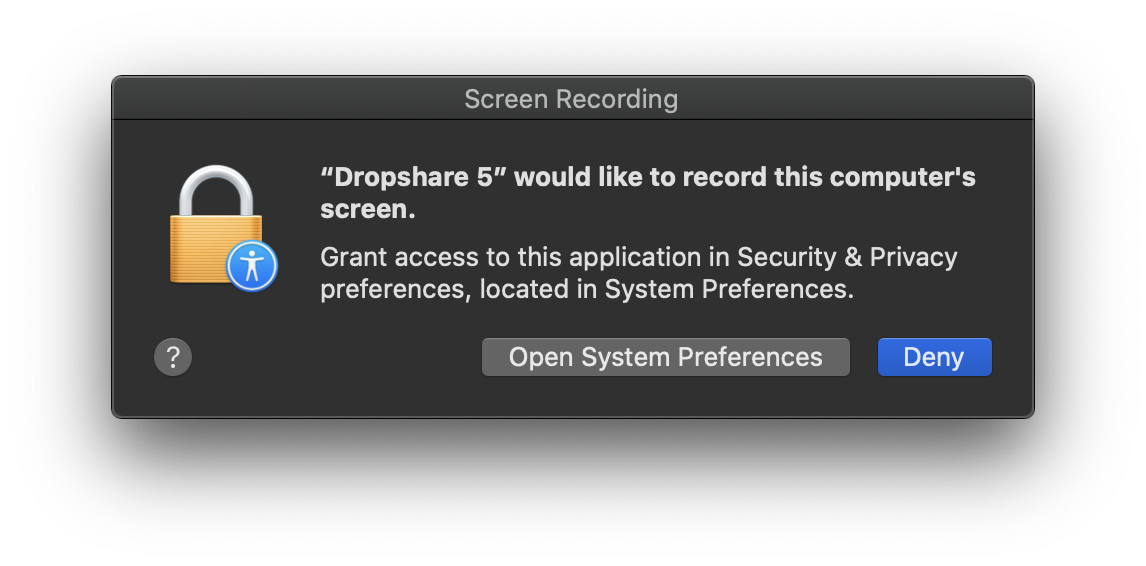
Click "Open System Preferences" and allow Dropshare to access the Screen Recording permission.
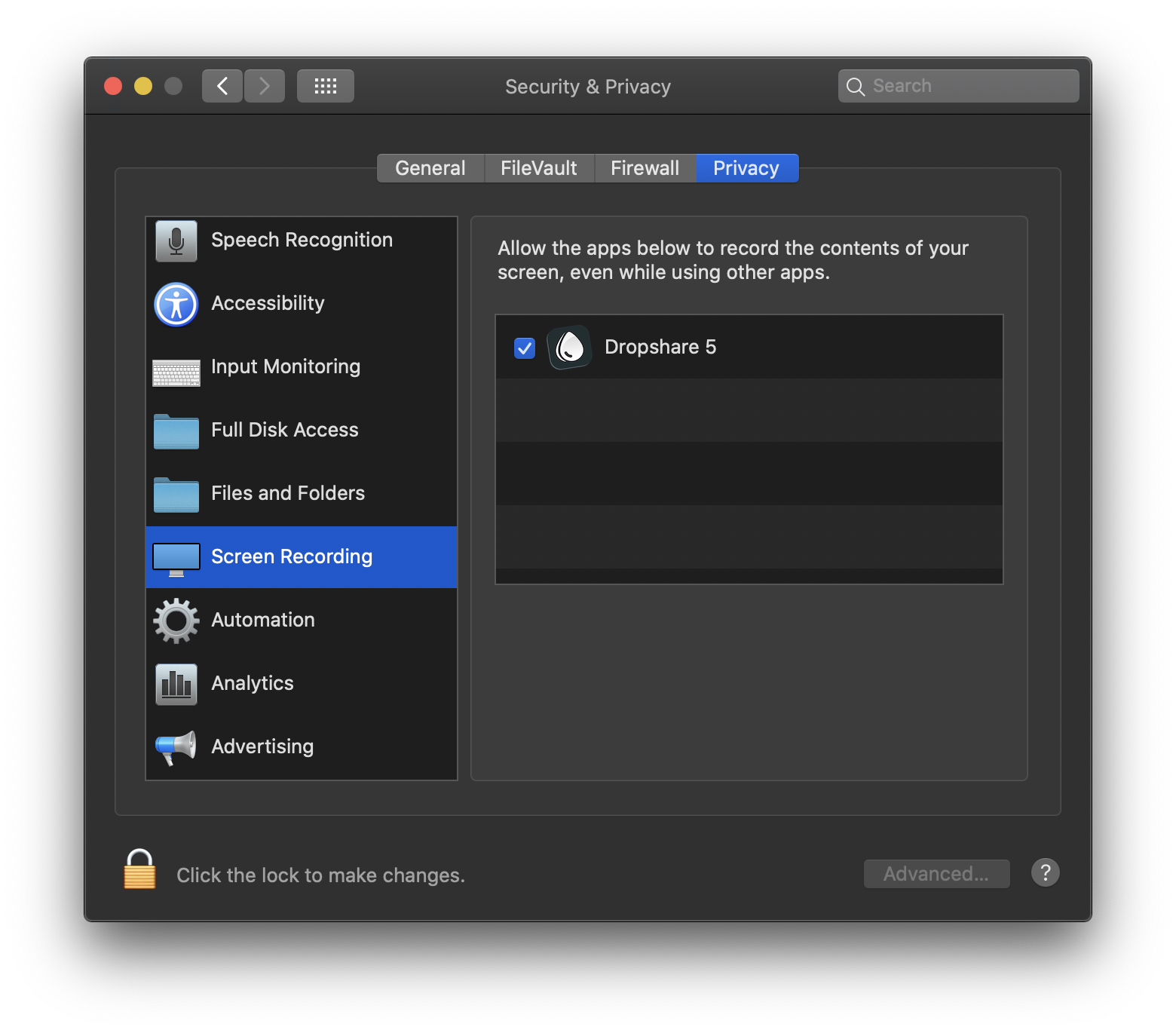
** You might have to authenticate first** by clicking the lock icon in the bottom left corner of the window.
Afterwards, you are ready to go!