

Synchronize App Preferences & Landing Pages
Dropshare 5.34 and newer
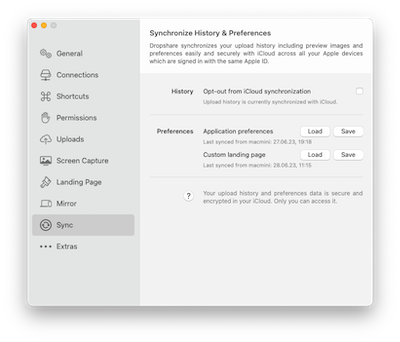
To synchronize the app preferences or custom landing page to another Mac via iCloud, open the Preferences and navigate to Sync.
From there, you can either save the current app preferences to, or load previously synchronized app preferences from iCloud.
Please note that all local app preferences will be overwritten when loading.
Custom landing pages can be synchronized from the Landing Page preferences.
Which preferences will be synchronized?
Almost all app preferences can be saved and loaded from iCloud, except:
- Custom Background Images for Pretty Screenshots